


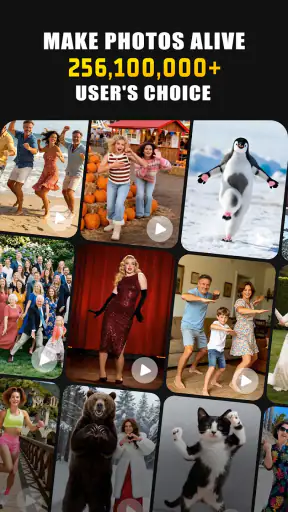

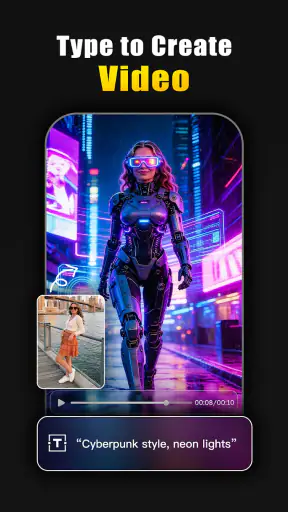
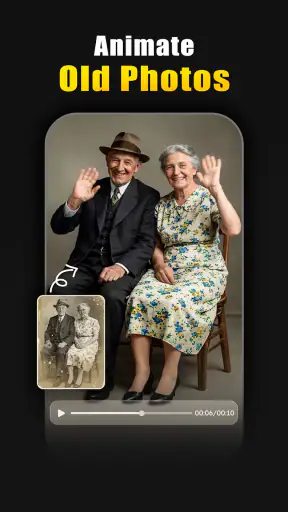


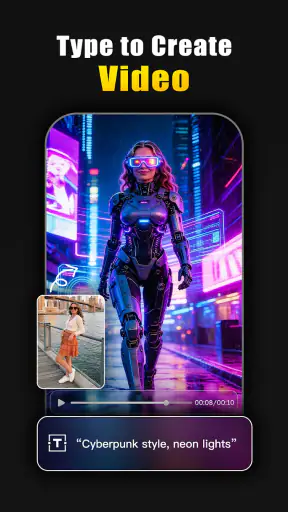
I tried Animator - AI photo dance as a photography app with one simple question in mind: is it more than a fun effect you open once, show to friends, and forget? Its appeal is immediate. You choose a still image, let the app animate it, and get something that feels more alive than an ordinary photo. The result is designed for sharing, so the first few sessions are naturally entertaining, especially when the subject is a person, pet, character, or expressive portrait.
That quick transformation is the main reason to install it. Animator is free to download, aimed at Everyone, and comes from Renrenlian. It has passed the early curiosity stage with over one million installs and an average rating of 3.8 from around eleven thousand ratings. Those figures suggest a product people understand quickly, but also one that does not satisfy every user equally. In my experience, the important question is not whether it can make a photo move. It can. The more useful question is whether you have a regular reason to keep making these animations.
What the first week feels like
The first week is where the app is strongest. I could start with a familiar image rather than learn a complicated editing workflow, and the idea is easy to grasp without a photography background. A normal portrait can become a playful clip, while a picture chosen for its expression can gain a completely different mood once movement is added. That immediacy makes it easier to experiment than with a conventional editor, where I would need to understand timelines, keyframes, masks, or manual motion controls.
I found that image choice matters more than I expected. A clear subject with a simple background gives the effect a better chance of looking convincing. Busy group photos, tiny faces, heavily cropped pictures, and images where the main subject blends into the background are less dependable starting points. This is one of the first practical lessons: the app is not a magic repair tool for every photograph. It works best when the original picture already gives the animation something readable to work with.
For a realistic everyday use, imagine receiving a family photo in a chat and wanting to send back something more memorable than a sticker. I would save a suitable portrait, test it in Animator, and share the moving result in the same conversation. It can also suit a birthday greeting, a casual social post, or a quick reaction when a still image feels too ordinary. The workflow is attractive because the creative decision happens before the animation: choose the right source, try the transformation, and judge whether the movement adds personality.
The first-week appeal also comes from the contrast between effort and payoff. I do not need to spend an evening learning a full video editor just to produce one playful result. That makes Animator particularly approachable for people who enjoy visual experiments but do not consider themselves editors. It is also a reasonable introduction to AI-assisted photo effects because the user begins with a familiar object—a photo—and sees how an automated treatment changes it.
Choosing images that age well
My strongest tip is to build a small folder of possible source images before opening the app. Do not simply use the newest picture in your camera roll. Look for faces that are large enough to read, lighting that separates the subject from the background, and expressions that still make sense when movement is added. This turns the process from random tapping into a simple creative workflow and reduces the disappointment of testing an unsuitable image.
I would also keep the original photo untouched. Animator is best treated as an output tool rather than the only copy of a memory. If the result feels exaggerated, awkward, or simply less attractive than the source, you can return to the original and try another image. That habit is especially useful with personal photographs, where a novelty effect should not replace the picture you actually want to preserve.
Another non-obvious trade-off is emotional rather than technical. A moving version of a meaningful photograph can feel charming at first, but not every memory benefits from being turned into an animated joke. I would use the app freely for casual portraits and playful images, while being more selective with important family moments. The strongest result is not always the most dramatic one; sometimes a restrained transformation fits the subject better than an effect that demands attention.
Where the novelty becomes recurring value
After the first burst of experimentation, the app needs a repeatable place in your routine. I do not see it replacing a general photo editor, camera app, or serious video tool. Its value is narrower: it gives static images a quick social or entertainment purpose. That can be enough for some people, particularly anyone who regularly creates short visual posts, sends humorous edits, or manages a stream of themed content.
The month-to-month question is therefore tied to your photo habits. If you frequently receive interesting portraits, maintain a pet-photo collection, or create content for friends, you may find new reasons to return. Each fresh image can provide a different prompt. If your normal photography is mostly about preserving landscapes, documents, food, or carefully composed scenes, the animation may feel less useful because the effect is centered on bringing a subject to life rather than improving the photograph itself.
I would describe Animator as a companion to a photo library, not a library-management tool. It gives selected images a second format, but it does not remove the need for the usual apps you use to organize, edit, crop, or share pictures. That distinction matters when deciding whether it deserves permanent space on a phone. A specialist app can be worthwhile if its specialist job comes up often; it becomes clutter when the job appears only during the first weekend.
The app’s free entry point helps with that decision. You can explore the basic idea without committing money immediately, while in-app purchases range from around six dollars to about forty-six dollars per item. I would not pay simply because the first few animations are amusing. I would wait until I knew how often I was creating results, whether the available output suited my sharing habits, and whether the free experience already covered what I wanted. The price range makes it especially important to treat paid options as a considered upgrade rather than part of the initial impulse.
Who gets lasting use from it
I think it has the best chance of becoming a regular tool for three kinds of users. First are casual creators who want a fast way to turn portraits into shareable moments without learning a full editor. Second are people who enjoy testing visual effects and do not mind that the value comes mainly from surprise. Third are users with a steady supply of suitable images—pets, family snapshots, character art, or themed portrait collections—so the app does not run out of material after a single session.
It is less convincing for photographers who want precise control over motion, timing, composition, or retouching. If your goal is a polished video with deliberate edits, a conventional video editor will usually be the better destination. Likewise, people who mainly need color correction, exposure fixes, cropping, or removal of distractions should use a standard photo editor. Animator adds movement; it is not a universal answer to every photography task.
I would also skip it if you dislike sharing playful edits or rarely revisit old photos. The app’s central reward is experiential. You see a familiar image behave differently, enjoy the reaction, and possibly send it onward. If that loop does not fit your personality or your normal use of a phone, the novelty may disappear quickly even though the app remains easy to open.
Maintenance, friction, and the reasons fatigue sets in
Animator is not maintenance-heavy in the same way as a productivity app, but it still asks for a little judgment every time. You need to find an appropriate image, decide whether the animation improves it, and avoid filling your gallery with near-duplicates that were created only because the effect was available. That selection burden is small at first and becomes more noticeable when the initial surprise fades.
The biggest source of fatigue is repetition. A moving portrait is interesting the first time because the contrast with the original is new. After several similar results, the effect can start to feel predictable. This is why I would use the app in bursts rather than force it into a daily habit. Save it for a good image or a social occasion instead of opening it automatically with every new photo.
Quality control is another recurring issue. Automated animation can produce a result that is amusingly imperfect, but that same imperfection can make an image feel strange when the subject is important. I recommend previewing every result before sharing it, particularly when other people are recognizable. A quick check prevents the common mistake of assuming that an entertaining transformation will automatically be flattering.
There is also a practical storage habit worth adopting. Keep only the versions you genuinely like and remove failed experiments after you have finished comparing them. This matters because novelty encourages volume: it is easy to create several variations simply because each one takes little effort. A small, curated collection will remain enjoyable for longer than a gallery crowded with disposable results.
How it compares with familiar alternatives
Compared with a normal photo editor, Animator is quicker for one specific outcome but offers less reason to return for everyday image correction. A traditional editor gives me control and repeatable improvements; Animator gives me a more surprising transformation with less manual work. I would use the conventional option when the photo itself needs fixing and Animator when the photo is already acceptable but could become a playful clip.
Compared with a full video editor, the difference is even clearer. Video software is better when I want to combine several images, add a deliberate sequence, control transitions, or shape a story. Animator is better when I want a single photo to carry the moment with minimal setup. Choosing between them depends on whether the creative challenge is “make this picture move” or “build a finished video.”
It also occupies a different space from social media effects. A platform effect is convenient when I am already creating inside that platform, while a dedicated app can be more appealing when I want to work from an existing photo and decide later where to share it. The trade-off is that Animator becomes another step in the process. If I only need a quick effect for an immediate post, the built-in option may be faster; if I want to reuse a personal image outside one platform, the dedicated workflow can make more sense.
Version, access, and the practical decision
The current version is 2.17.1, and the app supports devices running Android 7.0 or later. That makes it accessible to many Android users, including people who are not carrying a recent flagship phone. I would still judge the experience on the particular device rather than assume that every phone will feel identical, especially when working with image effects. Keeping the app and operating system in normal working order is sensible, but I would not install it on an older device solely because the minimum requirement is relatively broad.
The Everyone age rating makes the concept approachable for a wide audience, although I would still apply ordinary judgment when choosing images to animate and share. The rating describes accessibility, not whether every result is appropriate for every conversation. A family-friendly tool can still produce an awkward outcome if the selected image or the intended audience is wrong.
One question many people have is whether they need special photography skills. My answer is no, but basic image selection makes a noticeable difference. Another is whether it replaces a camera or editor. It does not; it adds a particular animation step to an existing photo workflow. A third is whether it is worth paying for immediately. I would say no for most newcomers: use the free entry point to discover whether the effect fits your habits, then consider a purchase only if you have a recurring creative use.
For privacy-conscious users, my practical advice is simple: be deliberate about which personal photographs you choose and where you share the finished result. I would begin with non-sensitive images while learning the workflow, then decide whether the convenience is worth using with more personal material. That is not a criticism unique to this app; it is a sensible boundary whenever a photo is processed by a specialized online-style creative service.
Another useful approach is to create a small monthly theme rather than animate everything. One month could focus on pets, another on old portraits, and another on images intended for birthday messages. This gives the app a purpose and makes it easier to judge its recurring value. If you cannot think of a new theme or a real recipient, that is a sign the app may be better kept as an occasional tool than a permanent part of your routine.
My long-term verdict
After the novelty settles, I see Animator as a focused and enjoyable photography app rather than an essential everyday editor. Its best quality is the low barrier between an ordinary still image and a shareable animated result. I like that it encourages experimentation without demanding technical knowledge, and I can imagine returning whenever I have the right portrait, pet photo, or playful message.
Its weakness is equally clear: the central idea can become repetitive, and the app’s usefulness depends heavily on having suitable images and an audience that enjoys this kind of effect. It does not offer the broad control of a conventional editor, the storytelling depth of video software, or the convenience of a built-in social effect for users who never leave one platform. The in-app purchase range also gives me a reason to stay cautious until the free experience proves that the app has a lasting role.
My recommendation is to try it if you want quick photo animation and enjoy sharing visual surprises. Start with a few carefully chosen images, keep the successful results, and avoid turning every photo into an experiment. The lasting value comes from selective use, not constant use. If that sounds like your style, Animator can earn a place on your phone. If you need precise editing or expect a tool you will use every day, I would choose a broader photography or video app instead.
Overall, I would keep it as an occasional creative companion. It earns that space when I have a specific image that could benefit from movement, but it does not replace the tools I rely on for serious photo work. That balanced role is where Animator - AI photo dance makes the most sense: a free-to-start way to refresh selected photos, with enough immediate charm to recommend, provided you are comfortable letting the novelty work in moderation.


